
To install Spicetify Marketplace, make sure spicetify --version and spicetify backup apply work first. Then run the official Marketplace installer and restart Spotify before adding community items.
Check the Spicetify CLI before installing Marketplace
Marketplace is not the Spicetify CLI. It depends on a working CLI installation and successful apply operation. Run spicetify --version and spicetify backup apply before installing Marketplace. If either command fails, fix the base installation first.
The current official Marketplace release is v1.0.9, published July 5, 2026. The Spicetify Getting Started flow may already install Marketplace for new users, so check Spotify's sidebar before running the separate installer again.
Run the official Spicetify Marketplace installer
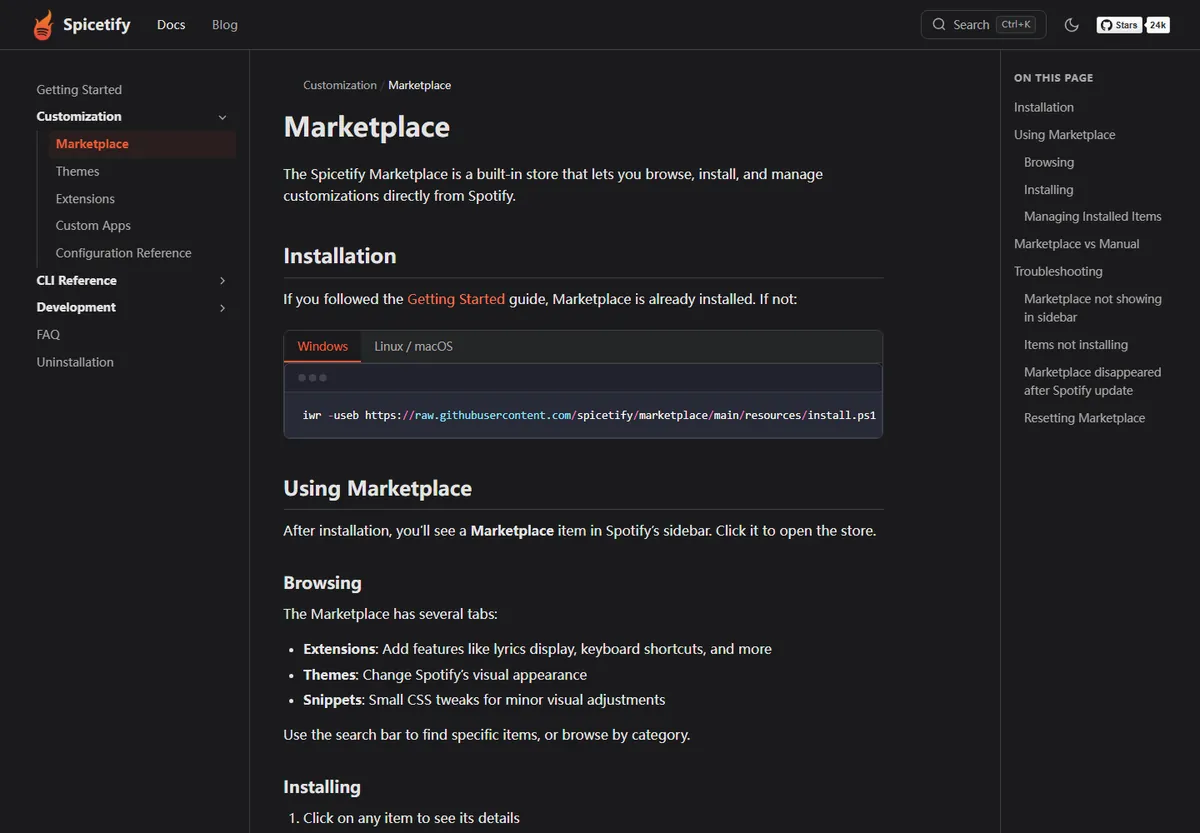
On Windows, open PowerShell and run the official script below. On macOS or Linux, replace it with the install.sh command from the official documentation. Both commands come from the spicetify/marketplace GitHub repository.
Close Spotify before applying the changes, then restart it. A Marketplace item should appear in the Spotify sidebar. Do not use third-party repacks that bundle the CLI, Marketplace, and unknown extensions into one opaque installer.
iwr -useb https://raw.githubusercontent.com/spicetify/marketplace/main/resources/install.ps1 | iex
Browse themes, extensions, custom apps, and snippets
Marketplace provides separate areas for themes, extensions, custom apps, and snippets. Themes change visual presentation. Extensions add behavior such as controls or interface utilities. Custom apps add larger sidebar experiences, while snippets apply smaller CSS changes.
Install one or two items at a time and restart Spotify when requested. That makes it easier to identify a conflicting extension or outdated theme. Read the item description, update date, source, and issue history before enabling code from a community maintainer.
| Marketplace type | What it changes | Review before installing |
|---|---|---|
| Theme | Colors, layout, and visual styling | Supported Spotify and Spicetify versions |
| Extension | Client behavior and controls | Source, permissions, and recent issues |
| Custom app | Larger sidebar feature | Maintainer and update activity |
| Snippet | Focused CSS adjustment | Possible conflict with the active theme |
Recover Marketplace after Spotify updates
When Spotify updates, Marketplace may disappear because the client resources were replaced. Run spicetify backup apply first. If the CLI reports incompatibility, update Spicetify through its original installation method and then restore, back up, and apply again.
Only reinstall Marketplace after the base apply succeeds and the sidebar item remains missing. Reinstalling themes or extensions before restoring the injection layer wastes time and can hide the real problem.
spicetify backup apply
Use Marketplace extensions carefully
Spicetify is open source, but not every community extension has the same review level. Prefer active projects with visible source code and clear documentation. Remove an extension if it causes repeated crashes, requests unrelated credentials, or makes claims outside client customization.
An extension advertised as a song downloader, MP3 exporter, Premium unlocker, or DRM bypass is not an official Spicetify download feature. This site does not recommend or link those tools.
Before installing an item, read its description and source repository, check whether recent issues mention the current Spotify or Spicetify release, and note how to remove it. A high download count is not a substitute for maintained code, transparent behavior, and a working rollback path.
Themes usually carry less account risk than extensions because they primarily change styling, but a theme can still break layouts after Spotify changes class names. Snippets can conflict with a theme, and custom apps can rely on APIs that move. Install one category at a time and keep the original client backup available.
Review individual item sources and maintainers. The Marketplace catalog does not turn every third-party customization into an official Spicetify feature.
Remove or roll back a Marketplace customization
Use Marketplace's installed-items management when an extension, theme, app, or snippet creates a problem. Remove the most recently added item first, restart Spotify, and test the same action again. A single-item rollback preserves the rest of a known working setup and provides a much clearer diagnosis than deleting every configuration file.
If Spotify cannot stay open long enough to manage the item, restore the base client with Spicetify, confirm stock Spotify launches, and then apply a minimal configuration. Reintroduce Marketplace only after that clean baseline works. Keep a note of the failing item's name, version or update date, source repository, Spotify version, and Spicetify version before opening an issue.
Removing Marketplace is not the same as uninstalling the Spicetify CLI. The CLI can continue to apply a manual configuration, and restoring Spotify can return the desktop client to its unmodified resources. Choose the smallest rollback that matches the problem instead of treating every issue as a full reinstall.
Spicetify Marketplace download verification checklist
Treat every Spicetify Marketplace download as code added on top of an already working CLI. Before running the installer, verify spicetify --version, close Spotify, and complete spicetify backup apply. Check whether Marketplace already appears in the sidebar because current guided installations may add it automatically. Running multiple installers is unnecessary and can make later recovery harder to diagnose.
Use only the Windows PowerShell or macOS/Linux shell command published by the official spicetify/marketplace repository. Open the raw script first when you want to inspect it. A legitimate Spicetify Marketplace download should not ask for a Spotify password, promise Premium access, or bundle unrelated executables. After installation, restart Spotify and confirm the Marketplace sidebar entry before adding any theme, extension, custom app, or snippet.
Install community items gradually and review the source repository, maintenance date, open issues, and removal instructions. Themes mainly change presentation, while extensions and custom apps can add executable behavior. If Spotify becomes unstable, remove the newest item first and test again. After a Spotify update, restore the base Spicetify injection before repeating the Marketplace installer. This sequence separates a missing sidebar caused by the client update from a genuinely missing Marketplace installation.
- Confirm the official repository owner and current release.
- Test one customization category at a time.
- Keep a clean backup and a documented rollback path.
Spicetify Marketplace FAQ
How do I install Spicetify Marketplace?
Make sure the CLI works and spicetify backup apply succeeds, then run the official Marketplace installer and restart Spotify.
Why is Marketplace not showing in Spotify?
Confirm the CLI works and run spicetify backup apply. Reinstall Marketplace only if the sidebar item is still missing afterward.
Does Marketplace include themes and extensions?
Yes. It provides categories for themes, extensions, custom apps, and CSS snippets.
Is every Marketplace extension official?
No. Marketplace contains community customizations. Review the source, maintainer, update history, and compatibility before installing.
Official sources used
- Official Marketplace documentation — Installation, usage, management, and troubleshooting.
- Marketplace v1.0.9 release — Current official Marketplace release.