
Can Spicetify download songs? No. Spicetify cannot download songs on Windows, Mac, or Linux. It can change Spotify's appearance and add client-side customizations, but Spotify offline downloads remain inside the Spotify application and follow Spotify account and subscription rules.
What Spicetify actually does
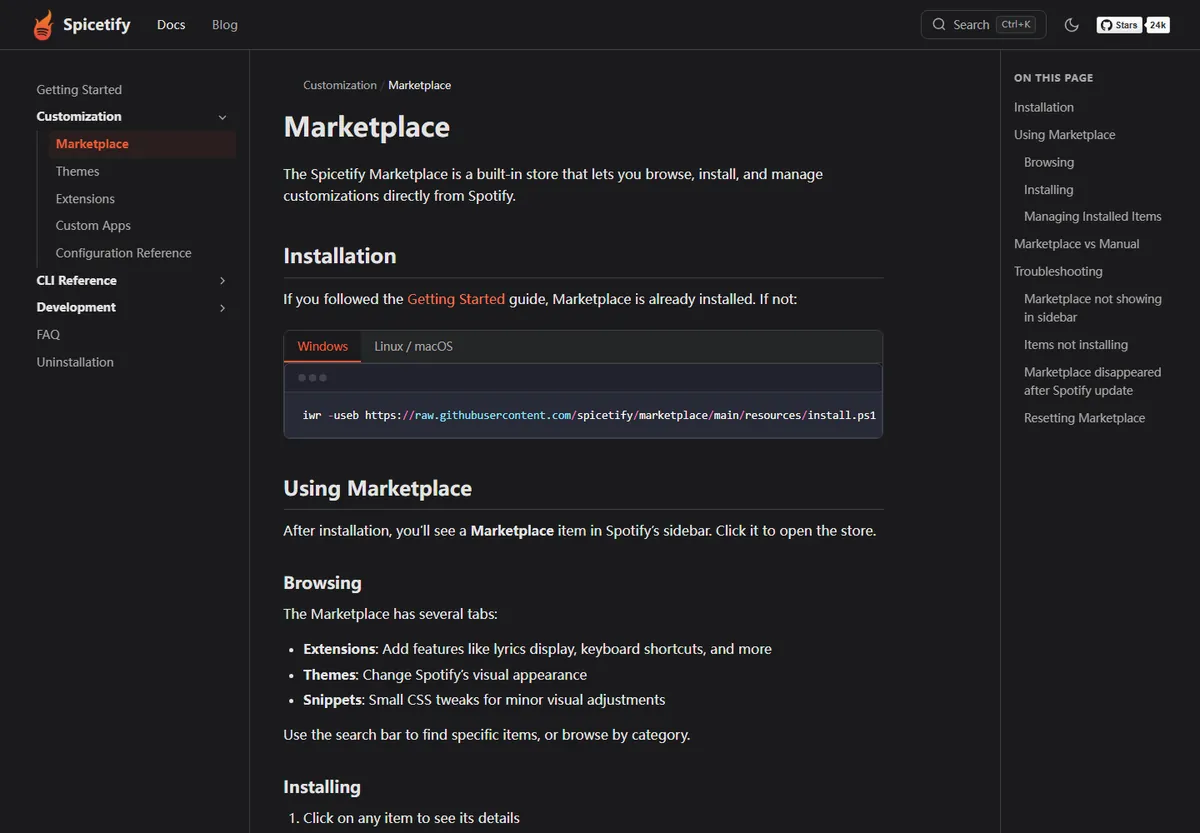
Spicetify is a multiplatform command-line tool that customizes the official Spotify desktop client. It can inject CSS, load extensions, add custom apps, change colors, and expose interface controls. Marketplace helps users browse community themes, extensions, apps, and snippets.
Those capabilities operate around the client interface and behavior. They do not grant ownership of Spotify's catalog, remove subscription requirements, or turn streamed audio into ordinary local files. Installing Spicetify also does not change the offline-download entitlement attached to a Spotify account.
Spotify offline listening is different from MP3 downloading
Spotify's own offline feature stores protected application data for playback through Spotify. Availability depends on the Spotify plan, device, content type, and current service rules. Those files are not normal MP3s that can be copied into another player.
Spicetify does not change that model. A playlist marked for offline listening by Spotify remains controlled by Spotify. Removing Spicetify does not create or delete a legitimate Spotify offline entitlement, and adding a theme does not unlock one.
| Capability | Spicetify | Spotify offline feature |
|---|---|---|
| Change client appearance | Yes | No |
| Install themes/extensions | Yes | No |
| Play selected content offline | No | When Spotify account rules allow |
| Export MP3 files | No | No |
| Bypass Premium | No | No |
Be careful with 'Spicetify downloader' extensions
A third-party project can use the Spicetify name in a title without being part of the official CLI or Marketplace. Claims such as song downloader, Spotify-to-MP3, playlist ripper, Premium unlock, or local music without Premium should be treated as separate, high-risk software claims.
Do not paste unknown scripts into PowerShell or Terminal, enter Spotify credentials into an extension, or disable security controls to make a downloader work. Review the repository owner, source code, release history, issue reports, and requested permissions. This site does not link to tools designed to bypass access controls or download music without authorization.
An extension containing 'Spicetify' is not automatically maintained, reviewed, or recommended by the official Spicetify project.
Can you download liked songs with Spicetify on Mac?
No. The answer is the same on macOS, Windows, and Linux. Spicetify can customize the Spotify desktop interface, but it does not export the Liked Songs collection to MP3 or save it as permanent unprotected audio files.
If your Spotify plan and current app rules support offline listening, use Spotify's own download control inside the official app. The content remains available through Spotify under its normal account checks. For music you own or have permission to download, use the artist, label, store, or service that provides an authorized file download.
Use Spicetify for customization, not content extraction
- Download the CLI only from official Spicetify documentation, GitHub releases, or documented package managers.
- Use Marketplace for transparent themes, extensions, custom apps, and snippets with reviewable sources.
- Keep Spotify subscription and offline features inside the official Spotify client.
- Avoid scripts promising Premium bypass, MP3 export, playlist ripping, or credential-based downloading.
- Use authorized music stores and artist downloads when you need normal local audio files.
- For personal libraries you already own, keep the original files and use a music manager that supports their format and metadata instead of trying to extract copies from Spotify streams.
- For podcasts or tracks offered as direct downloads by their creators, follow the creator's official website or feed and respect the stated license and permitted use.
- If an extension asks for Spotify credentials outside the normal Spotify sign-in flow, stop. A customization should not require you to hand account secrets to an unknown script.
- Report misleading extensions through the repository or Marketplace channels that host them, and include the exact project link rather than repeating an unverified installation command.
Why a browser or playlist link does not change the answer
Spicetify does not run as a browser-based downloader. It modifies local resources in the desktop Spotify application, which is why the installation guides require Spotify desktop paths and a first local sign-in. A website that asks for a Spotify playlist URL and promises an MP3 archive is a separate service, not a normal mode of the Spicetify CLI.
The same distinction applies to playlist and Liked Songs management extensions. An extension may reorganize a list, expose interface statistics, change sorting, or add player controls without downloading the underlying audio. Interface access to a track list does not create permission to copy or export the protected recording.
When you need a durable personal music library, obtain files from a store, artist, label, or service that explicitly offers authorized downloads. Keep Spotify offline listening for its intended in-app use, and use Spicetify only for transparent desktop customization.
Can you download songs with Spicetify legally and safely?
Can you download songs with Spicetify as MP3 files or a permanent local playlist? No. The official Spicetify CLI changes the Spotify desktop interface and loads transparent customizations. It does not acquire music rights, remove account requirements, or convert the Spotify catalog into ordinary audio files. The answer remains the same on Windows, macOS, and Linux, including for Liked Songs and user-created playlists.
Spotify offline listening is a separate feature controlled by Spotify's current plans, app rules, and account checks. It stores protected data for playback inside the official application, not transferable MP3 files. Spicetify can change how the interface looks or expose client-side controls, but it cannot turn that protected offline state into an authorized file export. Use Spotify's own download control when your account and content support it.
Be cautious when a website or extension uses the Spicetify name while promising playlist ripping, Premium unlocking, or music downloads without authorization. That software is outside the normal CLI function and may request credentials, unknown scripts, or disabled security protections. For a durable local library, obtain tracks from artists, labels, stores, or services that explicitly grant a download. Use Spicetify for desktop customization and keep music acquisition within the rights provided by the source.
Spicetify song download FAQ
Does Spicetify download music?
No. It customizes the Spotify desktop client and does not download or export music files.
Can Spicetify download playlists without Premium?
No. Spicetify does not unlock Spotify offline features or bypass subscription requirements.
Can I save Spotify songs as MP3 with Spicetify?
No. MP3 export is not an official Spicetify capability.
Can I download Liked Songs with Spicetify on Mac?
No. Use Spotify's official offline feature when your account supports it; those files remain inside Spotify.
Official sources used
- Spicetify CLI README — Defines Spicetify as a client customization command-line tool.
- Official Marketplace documentation — Documents themes, extensions, custom apps, and snippets.